
Filaments Settings
PLA Basic but Important Printing Guide
Default settings won’t work, make sure you set them correctly in UltiMaker Cura.
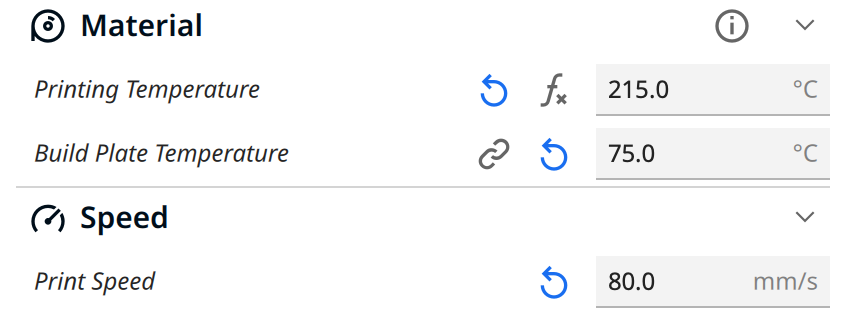
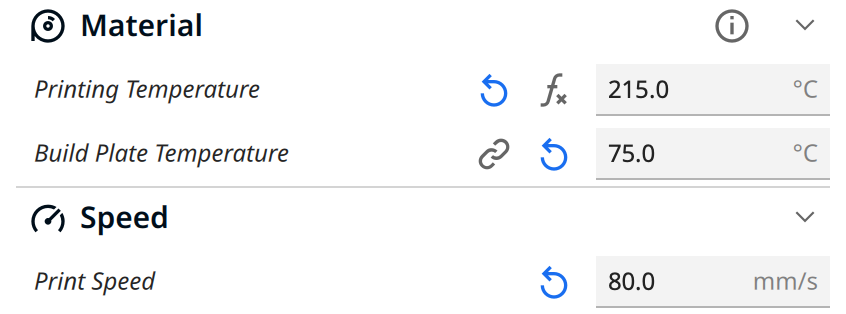
Material
Printing Temperature: 215 °C
Build Plate Temperature: 75 °C
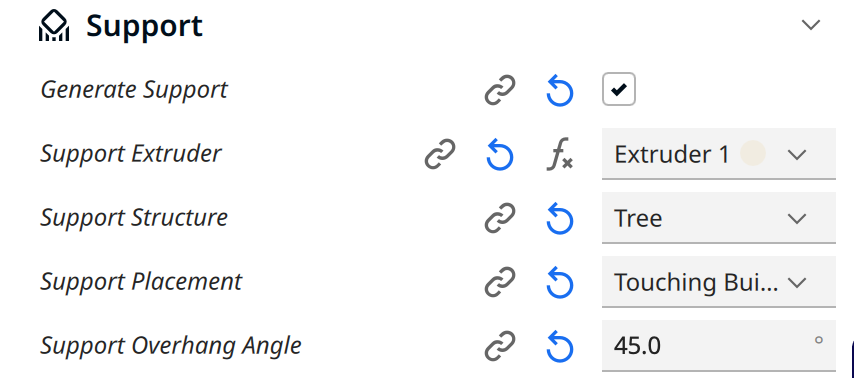
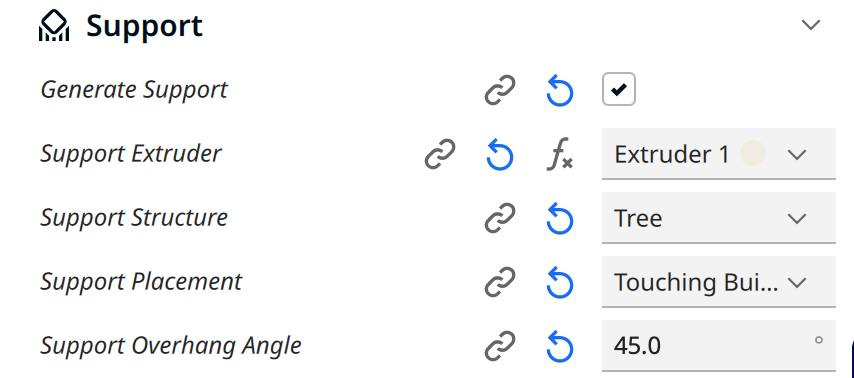
Support (if the object needs support)
Enable Generate Support
Set Support Overhang Angle to 45°
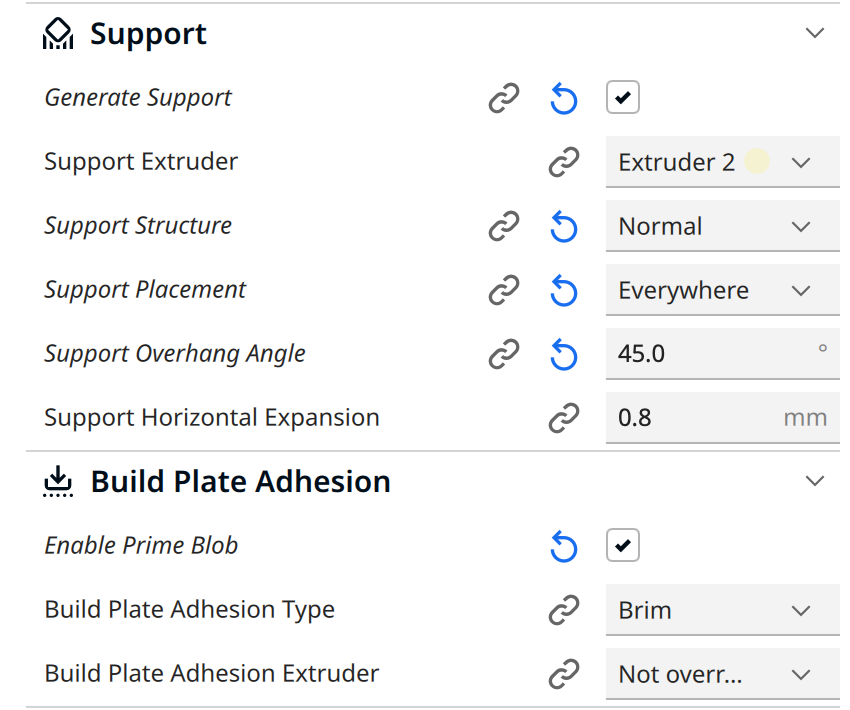
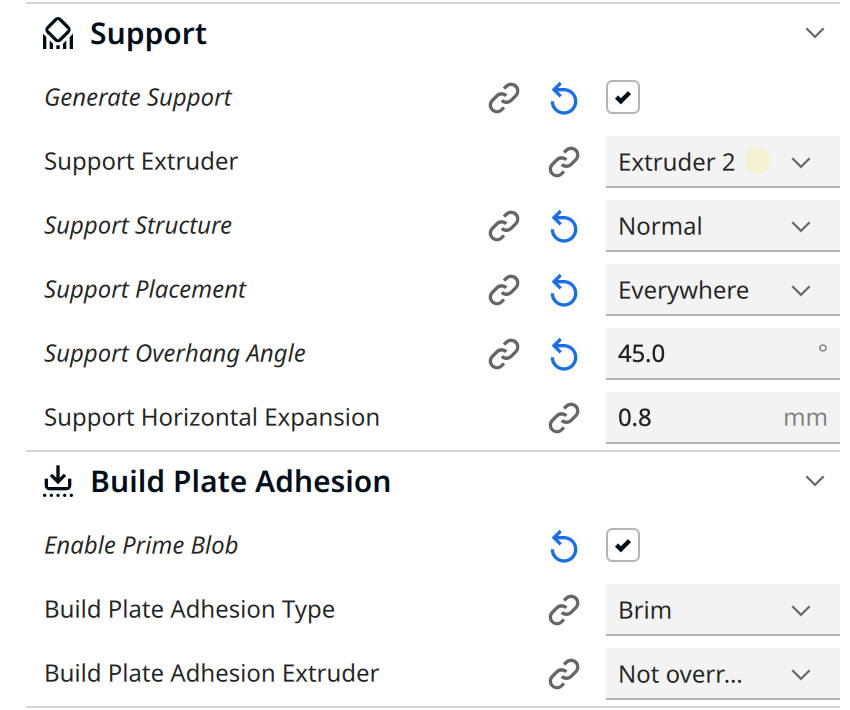
Build Plate Adhesion
Enable Prime Blob
Set Build Plate Adhesion Type to Brim
Where to find the print setting?
Open your Ultimaker Cura software
Follow the > important info page before you start.
Follow the set-up page, if it's the first time you use Cura > Set-up Page.
You will see the details above after you find the Show Custom in Print Setting
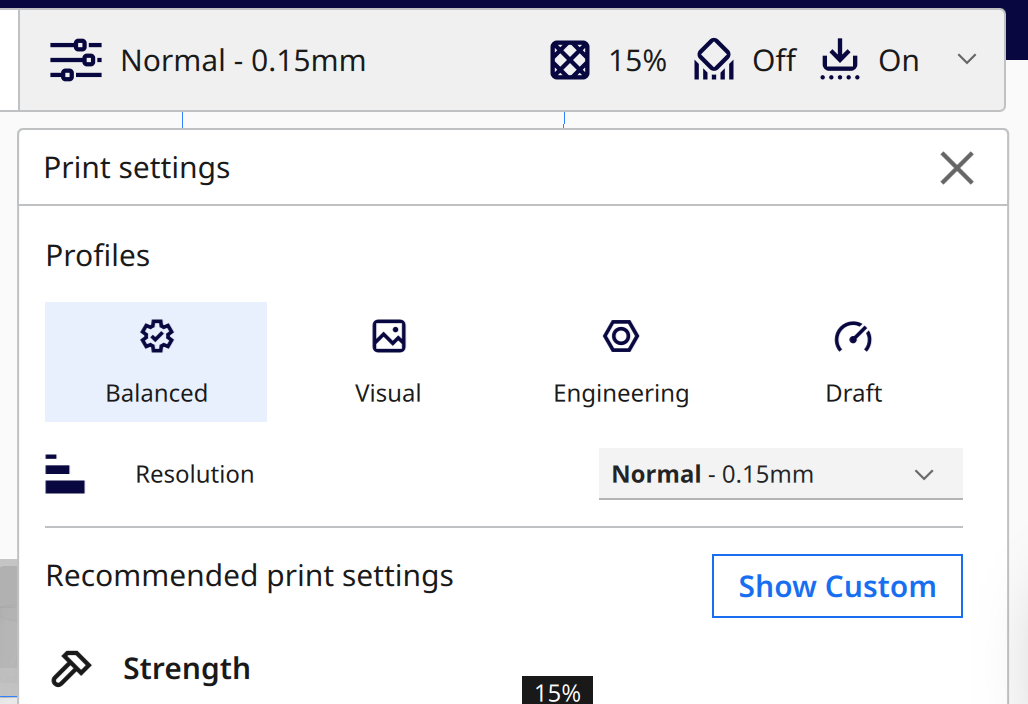
-
For example, if you are using PLA, set the printing temperature to 215°C and printing speed to 80–110 mm/s. (never forget to set the Support overhanging Angle to 45, unless for tailored solutions or your model doesn't need supports.)
-
If using PVA as the second nozzle for supports, set the printing temperature to 225°C and speed to 35–50 mm/s. Use Normal Supports, and Build Plate Adhesion (Enable Prime Blob ☑️, type: Brim).
Other types of filament
Build plate
temperature:temperature should always be 75- PLA
PLAprinting temperature: 215, printing speed 80 - 120 - White
Breakaway
printing temperature: 225, printing speed 80 - 100 - TPU temperature: 225, printing speed 40 - 80
PVA temperature:
60, Normal Support225225~245(Depends on the weather and filament condition) , printing speed 30 -60PETG temperature: 245, printing speed 80 - 120