How to access the CCI IoT data
We have several IoT sensors, including AirGradient indoor and outdoor air quality sensors, which log data every 30 seconds via MQTT and are available to students and staff who want to access this data, and power reporting for classroom lecterns.
MQTT Server
The MQTT server sits at mqtt.cci.arts.ac.uk on port 1883.
The read-only student username and password can be provided by asking on Slack in the #technical channel.
Air Quality Data
Data Format
The data format is airgradient/readings/(sensor), the sensors is the MAC address and serial number of that location, the locations are:
Greencoat
- GB_G03 – Classroom = 0cb815082660
- GB_G04 – Classroom = 4022d8f9b4d8
- GB_G05 – Dark Lab = d83bda1c51e0
- GB_G10 – Prototyping Lab = 34b7da9f6b9c
- GB_G11 – Robotics Lab = d83bda1b8e2c
Peckham Road
- PR_B401A – Digital Fabrication Lab = 34b7da9fdf28
- PR_B501D – Classroom = dc5475bb845c
- PR_B501E – Classroom = b48a0a613900
- PR_B501F – Classroom = dc5475bcc430
- PR_B503 – Physical Computing Lab = d83bda1c47f8
High Holborn
- HH_302 – Classroom = dc5475bce770
- HH_308 – Classroom = dc5475bacb84
Millbank (Chelsea College of Arts)
- MB_AG06 - Lecture Theatre
- a842e3285cf8
- 64b70835462c (tbc)
- c049ef0c92fc
- MB_ALG02 - Interior Design Studio
- c049ef0c9514
- 90380c6dc6c8
- a842e3283e84
- a842e3285cf0
- MB_BLG19B = c049ef0c8648
- MB_BLG19C = 0cb815081120
- MB_BLG19D = 64b70834d3b0
- MB_BLG20 = 64b70834fa14
- MB_BLG20A = 64b7083502c8
Example data:
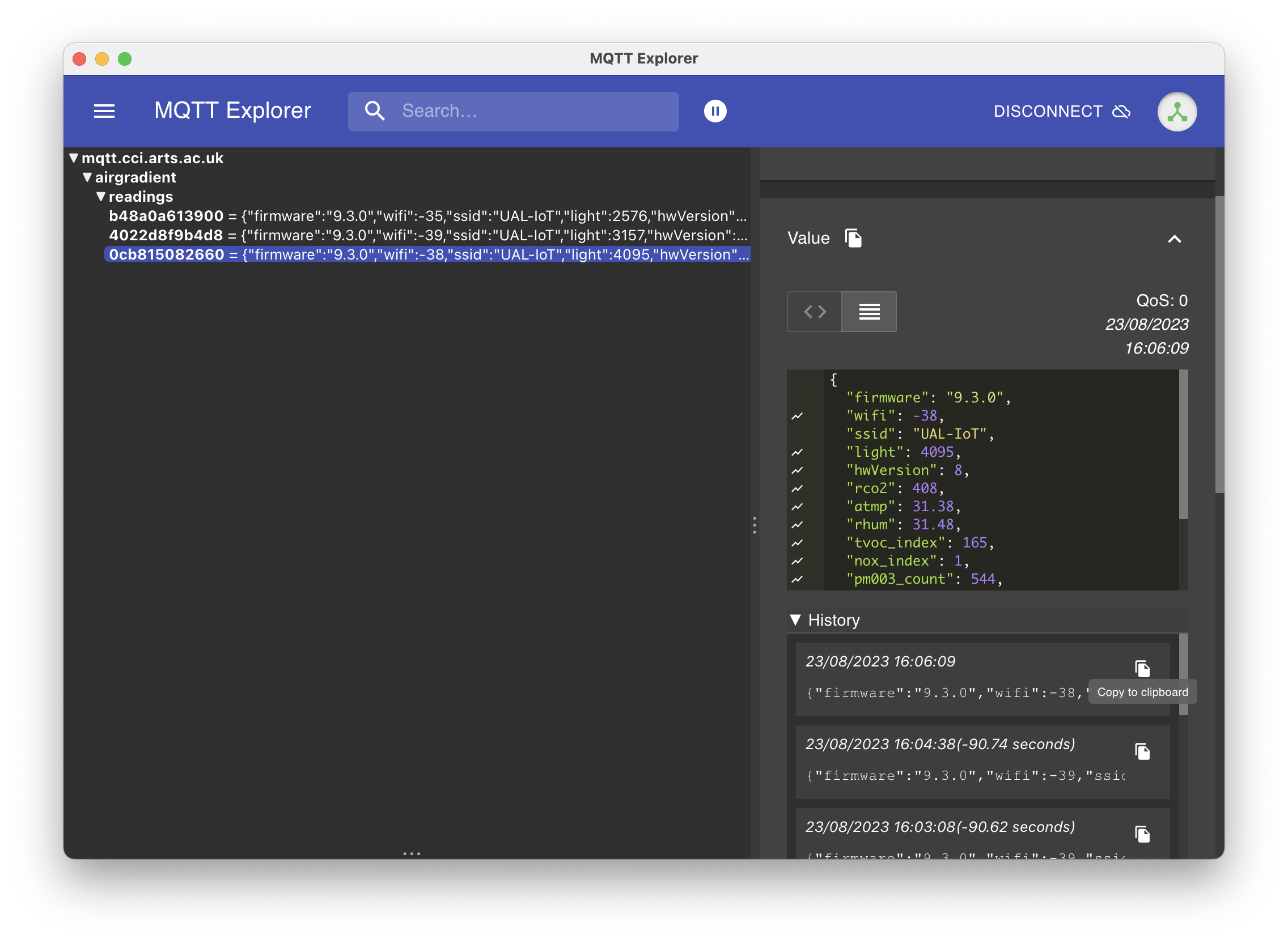
{
  "firmware":"9.3.0",
  "wifi":-39,
  "ssid":"UAL-IoT",
  "light":4095,
  "hwVersion":8,
  "rco2":409,
  "atmp":31.2,
  "rhum":31.55,
  "tvoc_index":164,
  "nox_index":1,
  "pm003_count":544,
  "pm01":2,
  "pm02":2,
  "pm10":2,
  "boot":1537,
  "wdog":1
}
What are these values?
pm003_count: PM0.3 particle countpm01: PM1 µg/m3pm02: PM2.5 µg/m3pm10: PM10 µg/m3nox_index: NOx Index (Ind41)tvoc_index: TVOC Index (Ind40)rhum: Relative Humidity %atmp: Temprature ºCrco2: CO2 PPM
Subscribing to the data
In order to view the data in something like a GUI you need to subscribe with a wildcard such as airgradient/# the default subscription for apps like MQTT Explorer shown below is just # however the permissions of the student account only allow you to view the data inside airgradient, sensors.
If you wanted just 1 sensor, you could subscribe to airgradient/sensors/(sensor) where sensor is one of the sensors listed in the sections above.